
Step-by-step guide
How to Convert JSON to CSV
Updated October 9, 2026
To convert JSON to CSV, the JSON must be an array of objects: each object becomes a row and each key becomes a column. Paste it into FileICU's JSON to CSV, choose comma, semicolon or tab, and download a CSV that opens in Excel, Google Sheets or any spreadsheet.
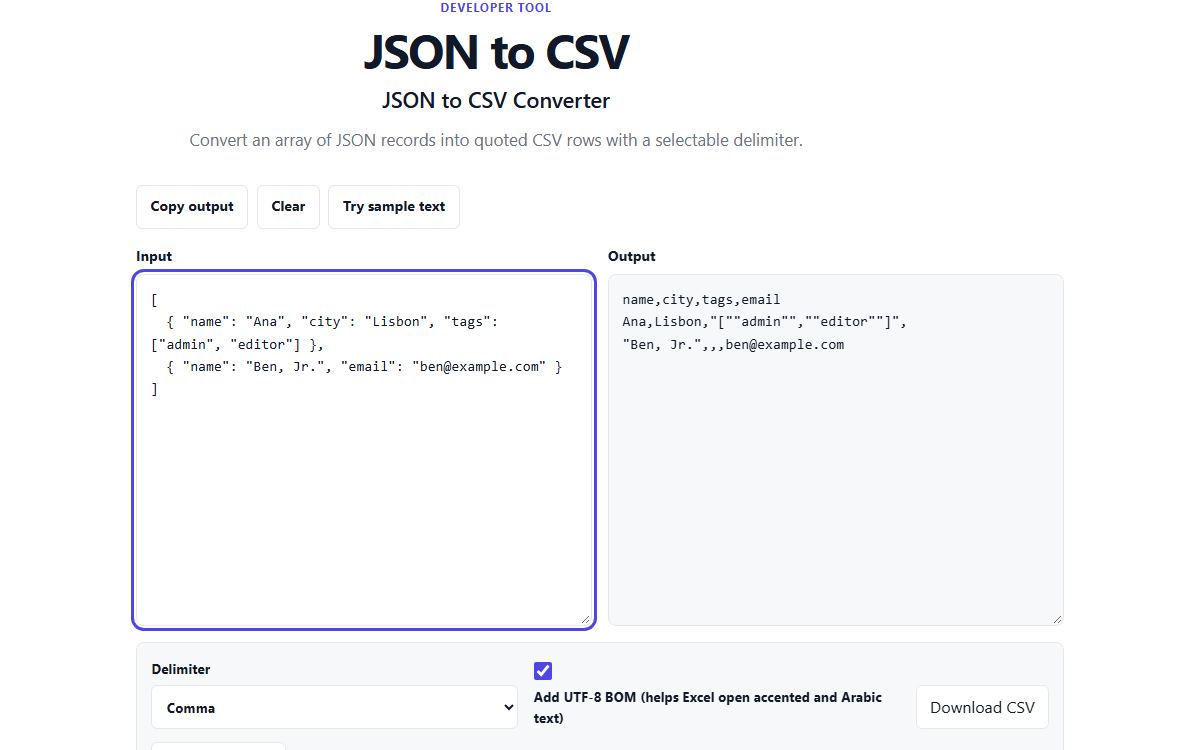
How to do it with JSON to CSV
- Open JSON to CSV and paste a JSON array of objects.
- Choose the delimiter: comma for most programs, semicolon for Excel in many European regions, or tab.
- Leave "Add UTF-8 BOM" on if you will open the file in Excel.
- Check the CSV that appears, then select Download CSV, or copy it.
Example
Two customer records, where the second has an email the first lacks and a name containing a comma:
[
  { "name": "Ana", "city": "Lisbon", "tags": ["admin", "editor"] },
  { "name": "Ben, Jr.", "email": "ben@example.com" }
]
The result
Every key from any record becomes a column, in the order it first appears, so email comes last. Missing values are left empty. "Ben, Jr." is wrapped in quotes because it contains the delimiter, and the tags list is written into one cell as JSON text, with its quotes doubled as CSV requires.
name,city,tags,email
Ana,Lisbon,"[""admin"",""editor""]",
"Ben, Jr.",,,ben@example.com
Nested data and Excel
Nested objects and lists are not split into extra columns; each stays in a single cell as JSON text. If you need them as separate columns, flatten the JSON first so each value has its own key.
Excel uses the BOM to recognise accented and Arabic text correctly. If Excel puts every row into a single column, your region expects semicolons: choose Semicolon and download again.
Common problems
- It says the JSON must be an array of objects.
- Wrap a single object in square brackets, or use the list inside your JSON, for example the value of a "results" key, rather than the whole response.
- The JSON is not valid.
- Fix it first with the JSON Formatter and Validator, which shows the line with the mistake.
- Accented letters look wrong in Excel.
- Keep "Add UTF-8 BOM" on before downloading.
Tools for this task
- DeveloperConvert
JSON to CSV
Convert arrays of JSON records into delimited CSV rows.
- DeveloperFormat
JSON Formatter and Validator
Validate JSON syntax and format valid data with readable indentation.
- DeveloperConvert
CSV to JSON
Parse quoted CSV rows and convert them to JSON records.
- DeveloperConvert
YAML to JSON
Parse a YAML document and convert its values to formatted JSON locally.