
Step-by-step guide
How to Fix Common JSON Syntax Errors
Updated October 9, 2026
JSON is strict: keys and text must use double quotes, items are separated by commas with no comma after the last one, and comments are not allowed. Paste your JSON into FileICU's JSON Formatter and Validator: it names the problem and highlights the line, so you can fix it and check again.
Open JSON Formatter and Validator
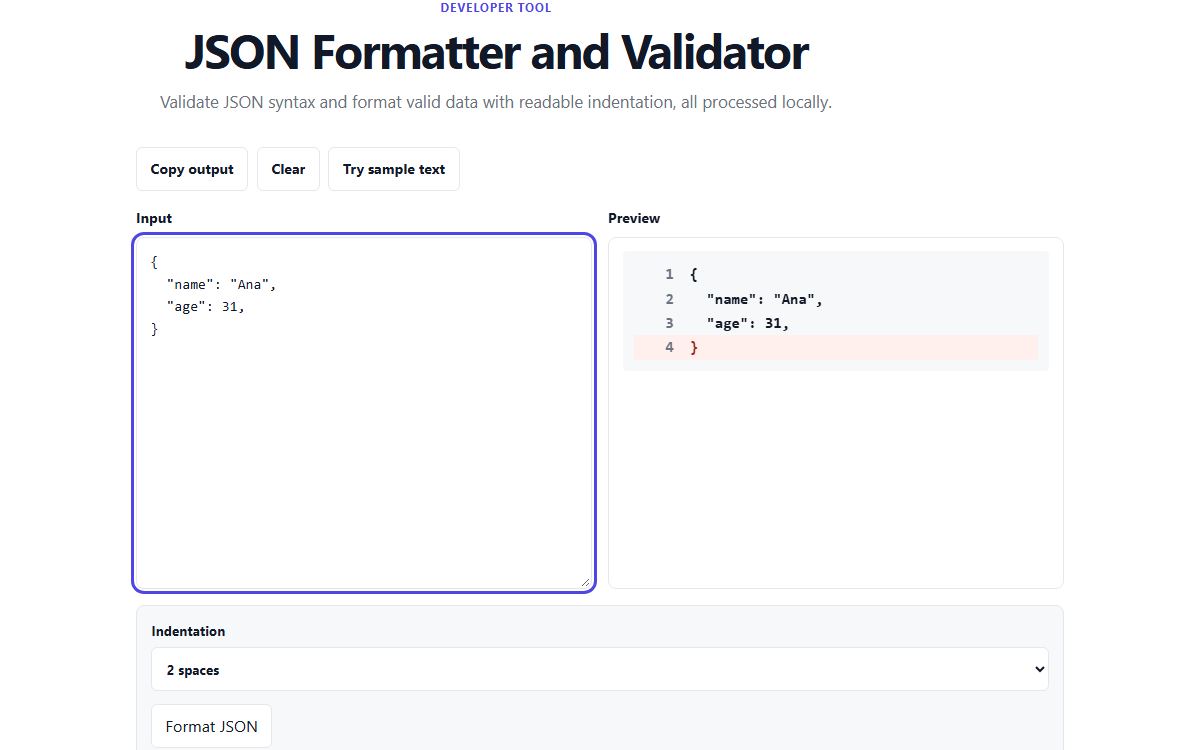
How to do it with JSON Formatter and Validator
- Open the JSON Formatter and Validator and paste your JSON.
- If it is valid, it is formatted with the indentation you chose: two spaces, four spaces or tabs.
- If it is not, read the error message and look at the highlighted line.
- Fix the mistake, using the examples below, and the result updates as you type.
- Copy the formatted JSON when it is valid.
Trailing commas
A comma after the last item is the most common mistake, often left behind when a line is deleted. Remove it.
Invalid:
{ "name": "Ana", "age": 31, }

Valid:
{ "name": "Ana", "age": 31 }
Single quotes and unquoted keys
JavaScript accepts both, JSON accepts neither. Every key and every text value needs double quotes. Numbers, true, false and null are written without quotes.
Invalid:
{ name: 'Ana', active: 'true' }

Valid:
{ "name": "Ana", "active": true }
Comments, missing commas and brackets
JSON has no comments, so remove any // or /* */ lines. A missing comma between two items, or a bracket that is opened and never closed, makes the error appear on the line after the real mistake, so look at the line above the highlighted one too.
Invalid:
[
  { "id": 1 }
  { "id": 2 }

Valid:
[
  { "id": 1 },
  { "id": 2 }
]
Text that needs escaping
Inside a text value, a double quote must be written as \" and a backslash as \\. Line breaks inside a value are written as \n, not as a real new line. Windows paths are a common trap: C:\Users must be written C:\\Users.
Common problems
- The error points to a line that looks correct.
- The real mistake is often just before it, such as a missing comma or an unclosed quote on the previous line.
- My JSON came from a website or log and has extra text around it.
- Copy only the part from the first { or [ to its matching closing bracket.
- Can the tool fix the errors for me?
- No. It shows what is wrong, but does not guess what you meant, because a wrong guess could change your data.
Tools for this task
- DeveloperFormat
JSON Formatter and Validator
Validate JSON syntax and format valid data with readable indentation.
- DeveloperConvert
JSON to CSV
Convert arrays of JSON records into delimited CSV rows.
- DeveloperConvert
YAML to JSON
Parse a YAML document and convert its values to formatted JSON locally.
- DeveloperConvert
CSV to JSON
Parse quoted CSV rows and convert them to JSON records.