
Step-by-step guide
How to Decode Base64 Text
Updated October 9, 2026
Base64 writes data using only letters, digits, + and /, often ending in one or two = signs. To decode it, paste it into FileICU's Base64 Encode and Decode, choose Decode, and the original text appears. It also accepts URL-safe Base64, which uses - and _ instead of + and /.
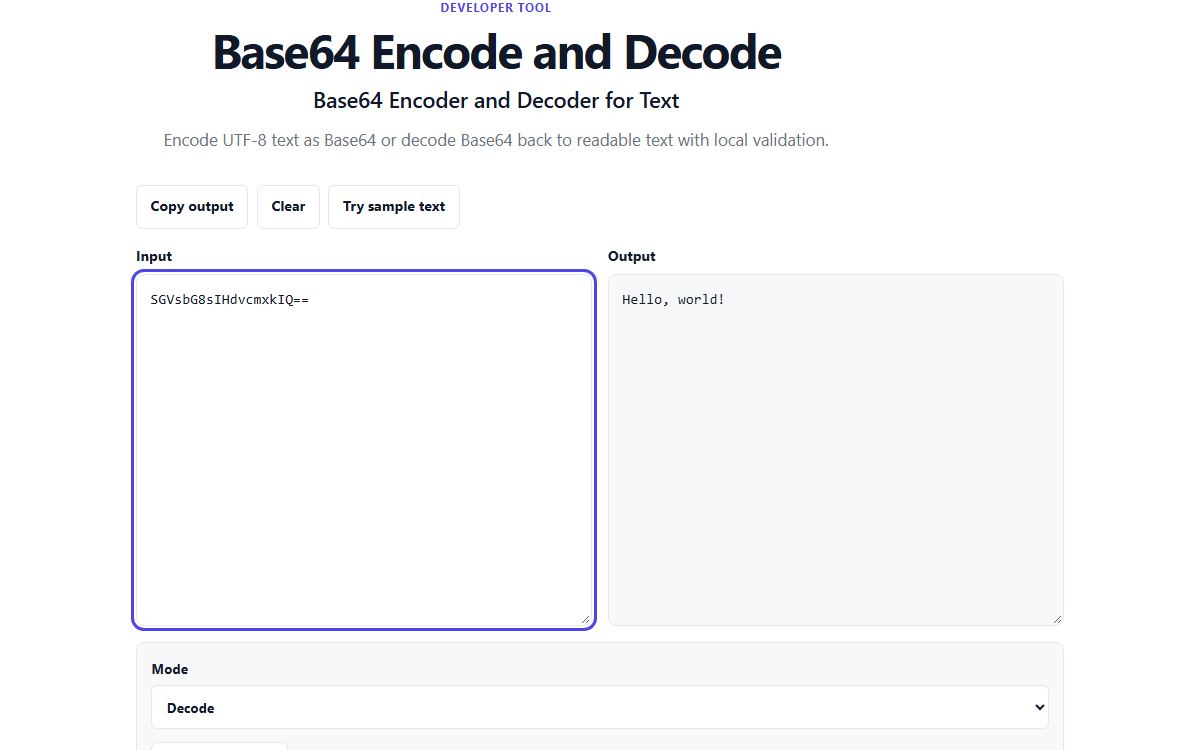
How to do it with Base64 Encode and Decode
- Open Base64 Encode and Decode and choose Decode.
- Paste the Base64 value. Line breaks, a data: prefix and missing = padding are fine.
- Read or copy the decoded text.
- If the value holds an image rather than text, decode it with Base64 to Image instead.
Example
SGVsbG8sIHdvcmxkIQ== decodes to Hello, world! Base64 always uses 4 characters for every 3 bytes, which is why encoded text is about a third longer than the original, and why = signs pad the end.
SGVsbG8sIHdvcmxkIQ== → Hello, world!Where you meet Base64
Email attachments, data: URLs in web pages, configuration files and API responses all use Base64 to carry data through systems that only handle text. Login tokens called JWTs are three URL-safe Base64 parts joined by dots; the JWT Decoder shows their contents directly.
Base64 is not encryption
Anyone can decode Base64, so it never protects secrets. If a password or key is stored only as Base64, it is effectively stored in plain text.
Common problems
- It says the value is not valid Base64.
- The value contains characters Base64 never uses, such as spaces in the middle or symbols, or it was cut short when copied. Copy the whole value again.
- It says the result is not valid UTF-8 text.
- The Base64 holds binary data, such as an image or a file, not text. Use Base64 to Image for images.
- The decoded text is still unreadable.
- It may be encoded twice, or compressed or encrypted before encoding. Try decoding the result once more; if it is still unreadable, it was not plain text.
Tools for this task
- DeveloperEncode & decode
Base64 Encode and Decode
Encode UTF-8 text as Base64 or decode Base64 back to readable text.
- ImageConvert
Base64 to Image
Preview a Base64 image data URL and download the decoded image.
- ImageConvert
Image to Base64
Encode an image as a data URL and copy the result without uploading the file.
- DeveloperEncode & decode
URL Encode and Decode
Encode or decode URL component text with browser-native functions.